February 9th, 2026
New
Fixed

Release 0.10.14-0.10.17
Training load & goal tracking in Overview 🚀
We’ve added new blocks to Overview to help runners better understand their training and track progress at a glance. Here’s an Overview of what’s available for runners.
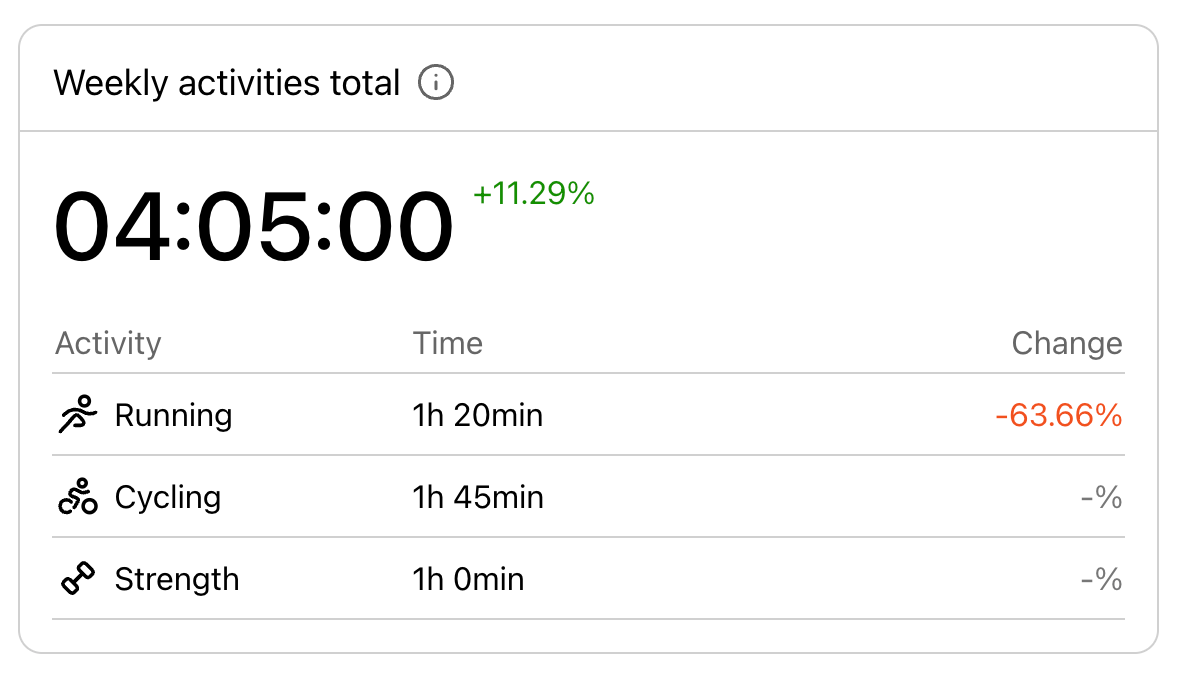
🏃♂️ All activities
See how much time you spent on different types of training during the week (running, strength, cycling, etc.). All running activities are summarised into total running time.
📈 Training load (Runner plan)
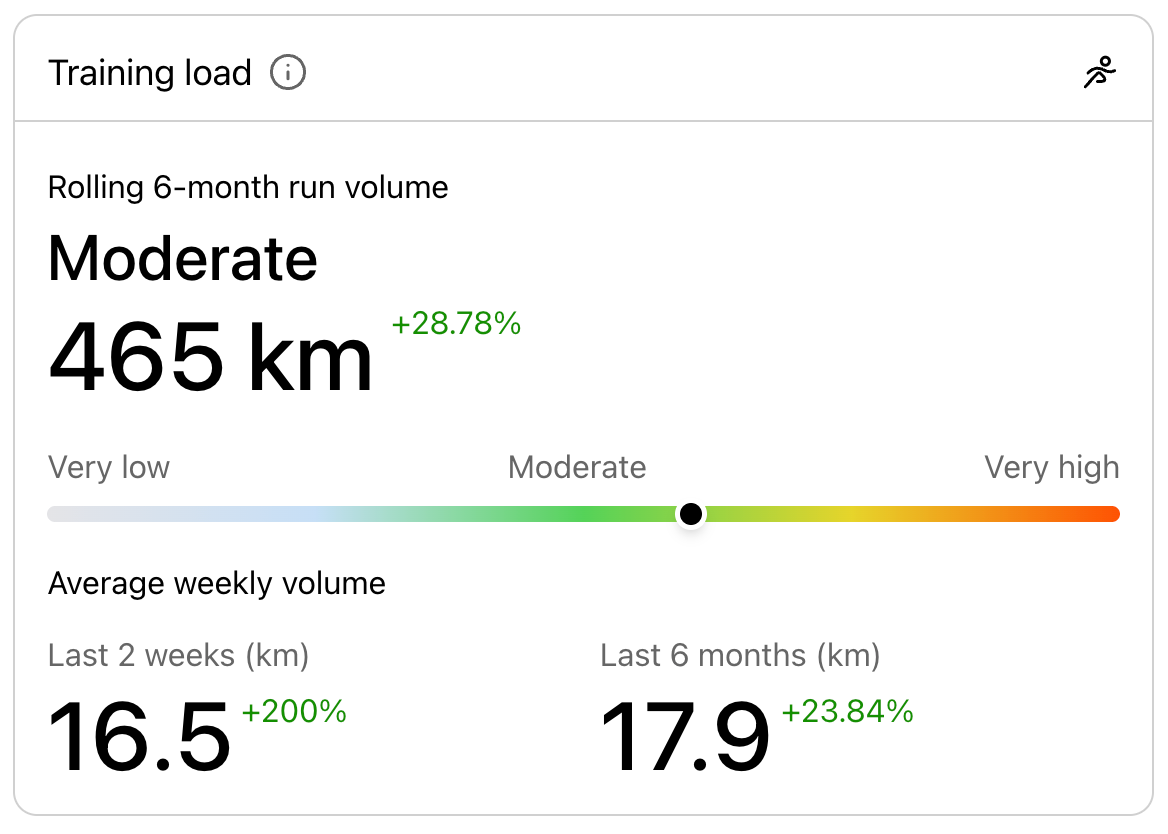
Compare your recent running volume with your long-term baseline to understand how your load is changing and adjust before overdoing it.
Subscribed runners can see:
Total running distance over the last 6 months and how it compares to the previous 6 months
Average weekly running volume (last 6 months vs last 2 weeks)
Whether training load is increasing or decreasing - if the recent 2-week average weekly running volume is higher than your 6-month average, your run training load is increasing; if it’s lower, your load is decreasing
Training load on a 1–5 scale
1–2: lower than usual
3: in line with normal training
4–5: higher than usual
💡 To improve performance, training load should generally trend toward 4–5 but increases should be gradual and balanced with recovery.
🎯 Goal progression (Runner plan)
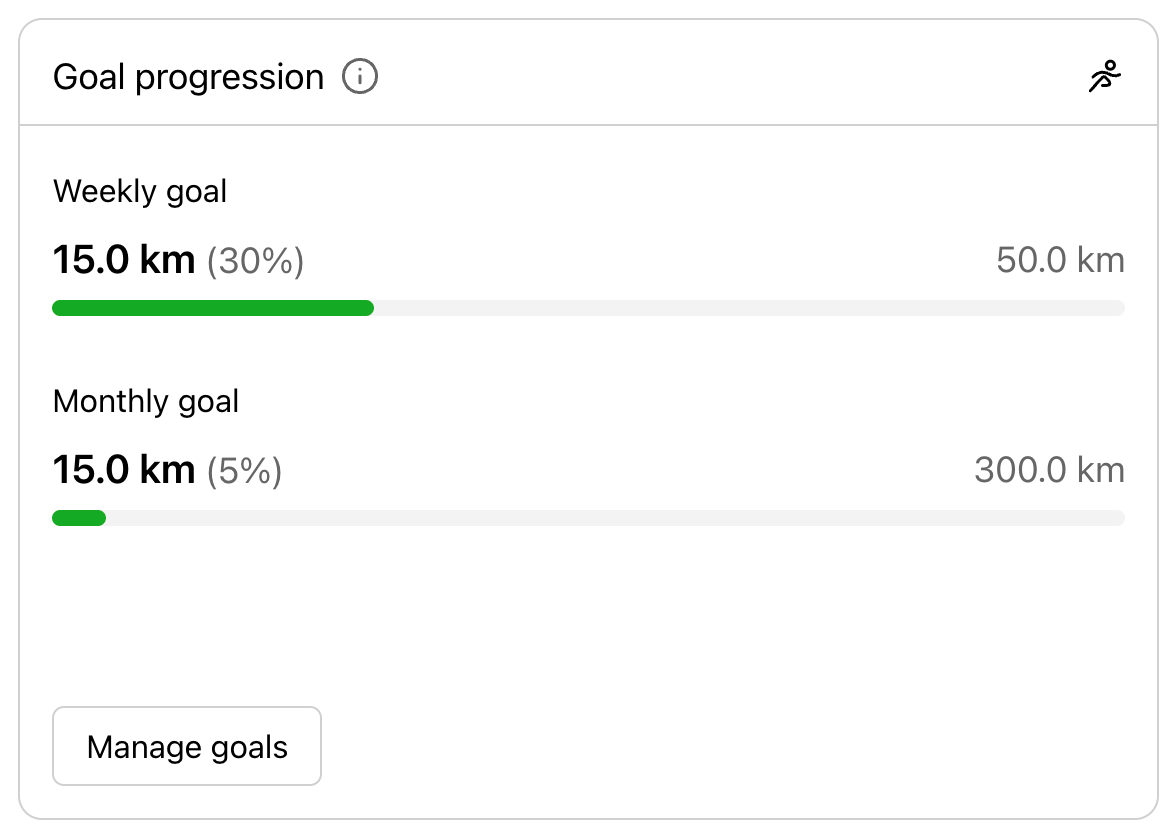
Track progress toward weekly and/ or monthly running goals and see how much you’ve already run.
Shown only if a weekly or monthly goal is set
If at least one of the goals is set, running completion is tracked automatically
📅 Today’s plan
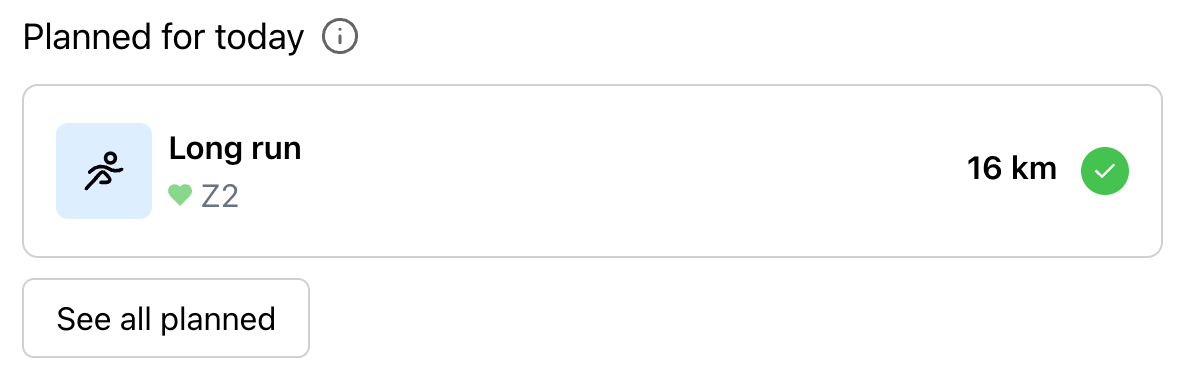
See the training planned for today:
Up to the last 2 planned activities are shown
If no activities are planned for today, the block is hidden
You can mark the plan completed by accessing it straight from Today’s plan
NB! Training load and goal progression blocks are currently not available for coaches who also track their own runs in KULG. The users who have been given access to data, do not have access to the Overview page of their runners.
🛠 Other improvements & fixes
Resting HR decreases in the Recovery block are now shown in green (positive trend)
Fixed activity tag adding in Overview and Plans
Goal setting now works even if commas are used
Improved time zone handling for planned activities