Release 0.10.24

Plan and send weekly plans to multiple athletes 🗓️ 📲 🏃 🏃
We’ve introduced a new feature for coaches on the Coach plan: Planner.
Planner allows coaches to plan a full training week for multiple athletes and send it directly to their KULG app. The feature is available on both desktop and mobile.
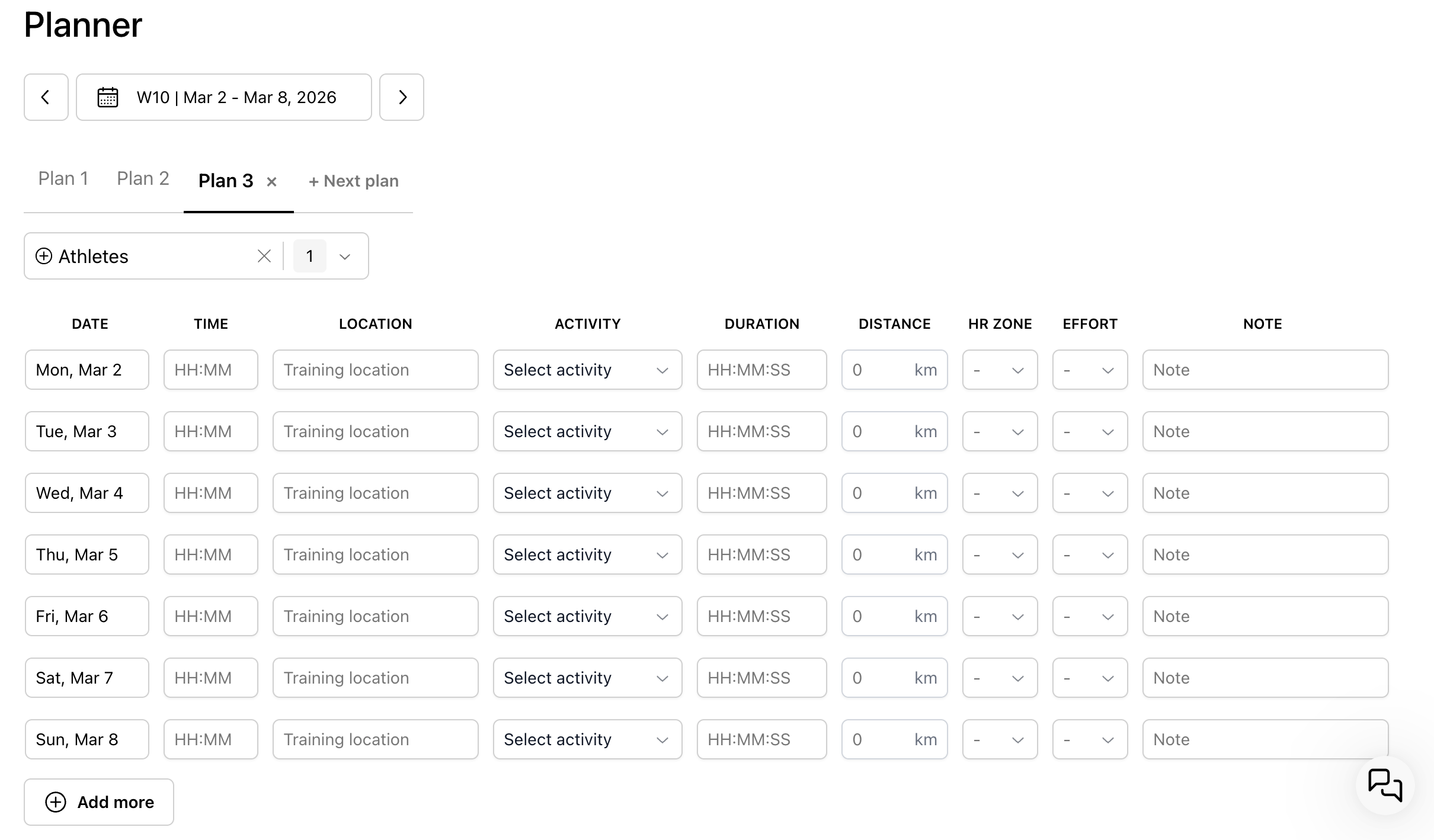
With Planner, coaches can:
create multiple weekly plans for selected athletes or all athletes who have granted coach access
add multiple workouts per day
send the plan directly to athletes’ calendars and see when it was sent
edit plans and send updates to athletes
plan weeks ahead by saving future plans and sending them later
define workout time and location (only activity type is required)
delete unsent plans (sent plans cannot be deleted)
For athletes
Athletes can edit the plan after receiving it. Any changes they make will not appear in Planner, but coaches can view them in the athlete’s Plans & Goals section.
Copy a planned activity 📋
You can now copy an existing planned workout to another date. This makes it easier to reuse workouts and build plans faster.
Both coaches and runners can duplicate any planned activity by selecting “Copy plan.” The workout will be copied with the same details, and you can simply choose a new date to place it in the calendar.

Other fixes ✅
We’ve made inviting others to KULG easier. Go to Settings » Share KULG with others to copy an invite link or send an invitation by email. Once they’re on KULG, add their email to share your activities, dashboard, and plans.

Improved mobile usability: Editing activities, plans, and managing goals is now more user-friendly on mobile.
Calendar update: If a planned activity has no distance but includes duration, the duration is now displayed.
Coaching onboarding: Coaches now receive onboarding emails explaining coaching-specific features in KULG.
Injury prevention insights no longer trigger incorrectly due to other activities’ distances.
Insights now reliably open at the top of the page.