Overview: Your landing page for training and recovery
Written By KULG App
Last updated 5 months ago
The Overview provides a clear, at-a-glance summary of how your training and recovery are progressing over time. It’s designed to help you quickly spot trends, compare weeks and stay focused on the bigger picture, without having to dig through individual activities.
The Overview functions as your landing page when you’re opening KULG app. Currently, it is available for athletes and coaches tracking their own activities.
Data is generated for the current week. Use the arrows next to the week number to navigate to previous or next weeks and explore past weeks. This makes it easy to review your progress, identify increases or dips, and see how different weeks compare.
For custom date ranges and more detailed graphs, go to the Dashboard.
What you can see in the Overview
Latest insights at a glance
Here you can see the most recently generated insights (including AI-generated insights) directly on the Overview page. The latest insight remains visible until it is replaced by a new one. All insights are saved in the Insights list, which you can find in the header.
Running overview
The Running Overview block summarises your running performance over the last eight weeks on a graph, with focus on key metrics. This will help you to understand how your training volume has evolved over time. You can go back in history however many weeks you have (Note: depends on the plan).
Tap on a specific week to see how the numbers change for that week without having to go to the next one. The graph shows the weekly distance covered and HR vs speed, as well as how your aerobic fitness improves (the higher the number, the better).
You can see:
weekly distance and week-on-week change
aerobic fitness score and change
intensity percentage and change
elevation gain and change
high-intensity kilometres and change
We also show the weekly change, so you can see how the key metrics have changed. The key metrics also include the proportion of your runs that are high intensity (intensity%) and the elevation gain.
Recovery Overview
The Recovery Overview focuses on how well your body is adapting to training. It shows:
HRV
resting heart rate
sleep score
feeling
All activities
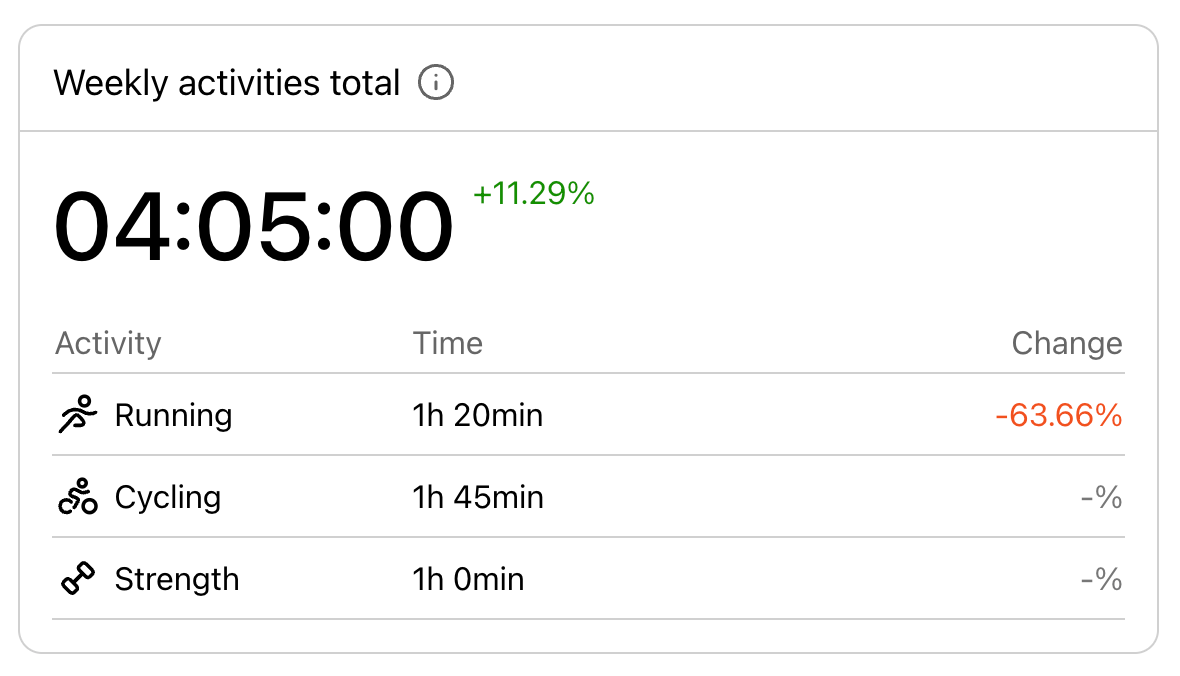
Here, you can see how much time you spent on different types of training (running, strength training, cycling, etc.) during the week. All running activities are summarised into a total running time.
Training load (Runner plan)
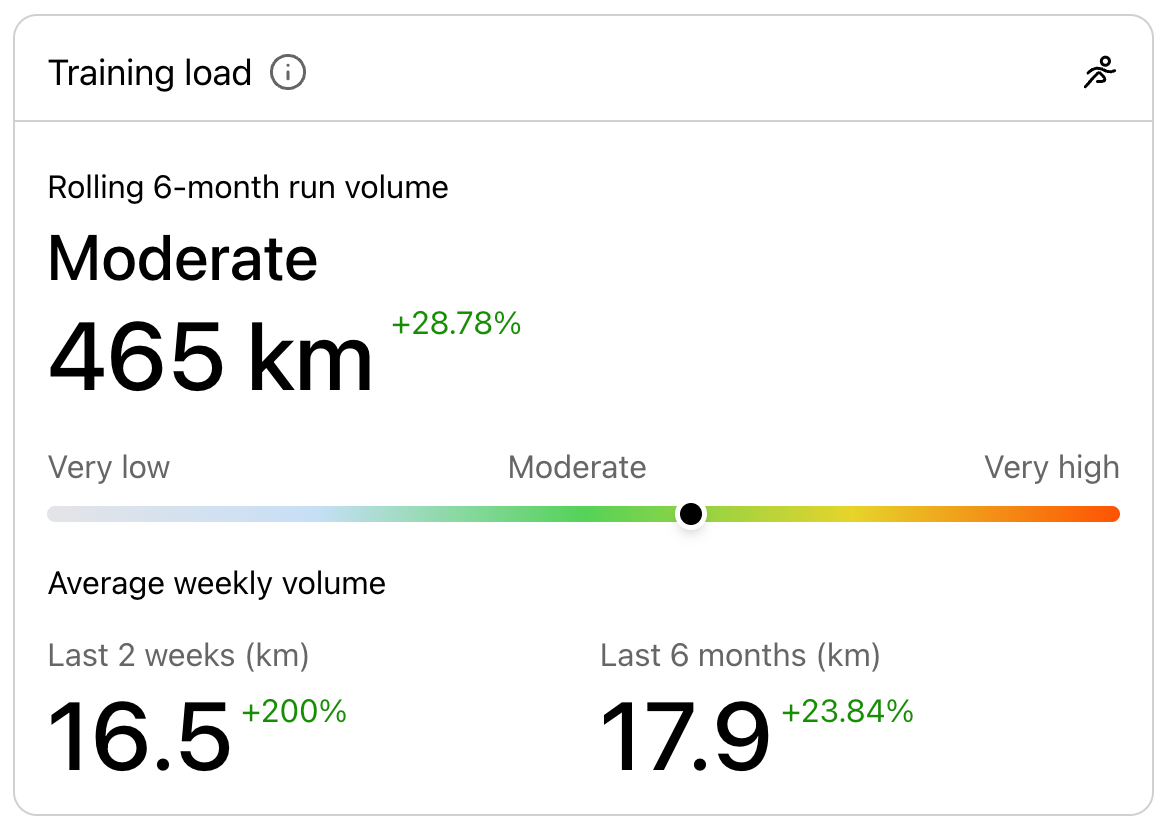
Compare your recent running volume with your long-term baseline to understand how your training load is changing, and make adjustments before you overdo it.
Subscribed runners can see:
Total running distance over the last six months, and how this compares to the previous six months.
Average weekly running volume (last six months vs last two weeks).
Whether your training load is increasing or decreasing. If the recent two-week average weekly running volume is higher than the six-month average, your training load is increasing. If it’s lower, your training load is decreasing.
Training load on a 1-5 scale
1-2: lower than usual
3: in line with normal training
4-5: higher than usual
To improve performance, the training load should generally trend towards 4-5, but any increases should be gradual and balanced with recovery.
Goal progression (Runner plan)
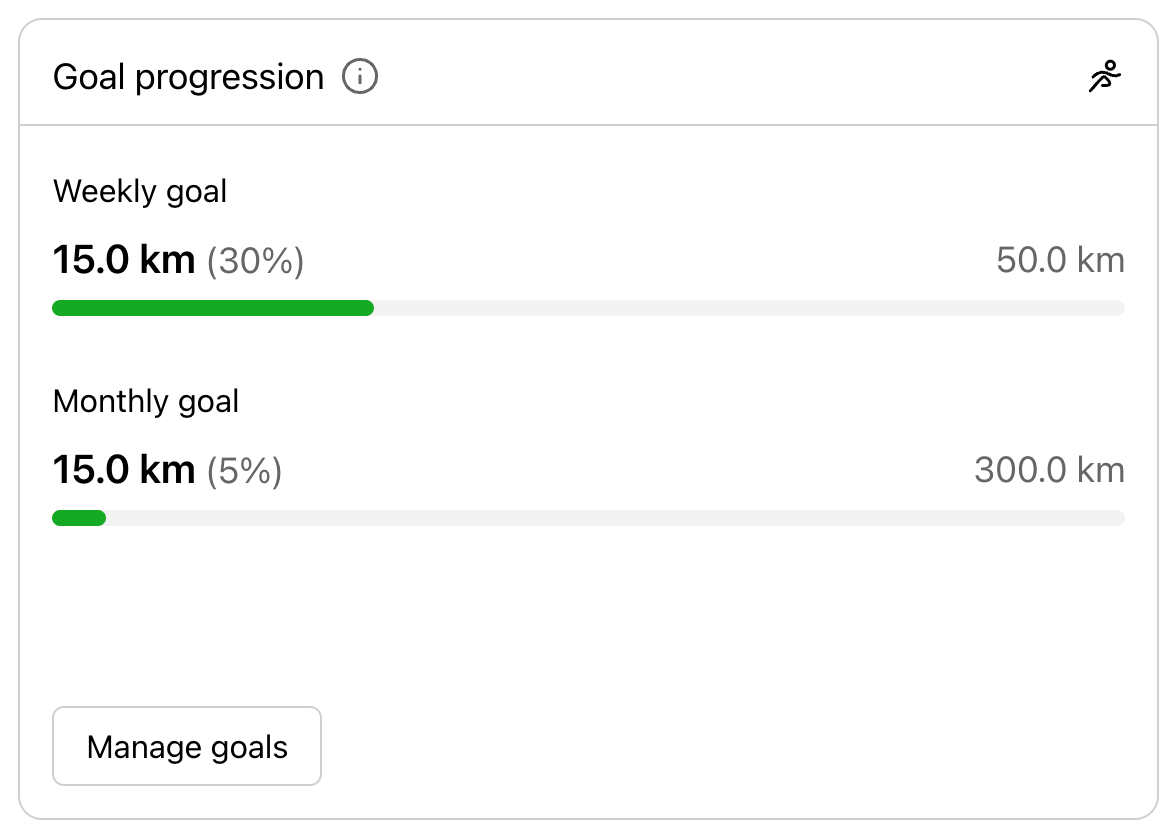
Track your progress towards your weekly and/or monthly running goals and see how far you have run so far.
This is shown only if a weekly or monthly goal has been set.
If at least one goal is set, running completion is tracked automatically.
Today’s plan
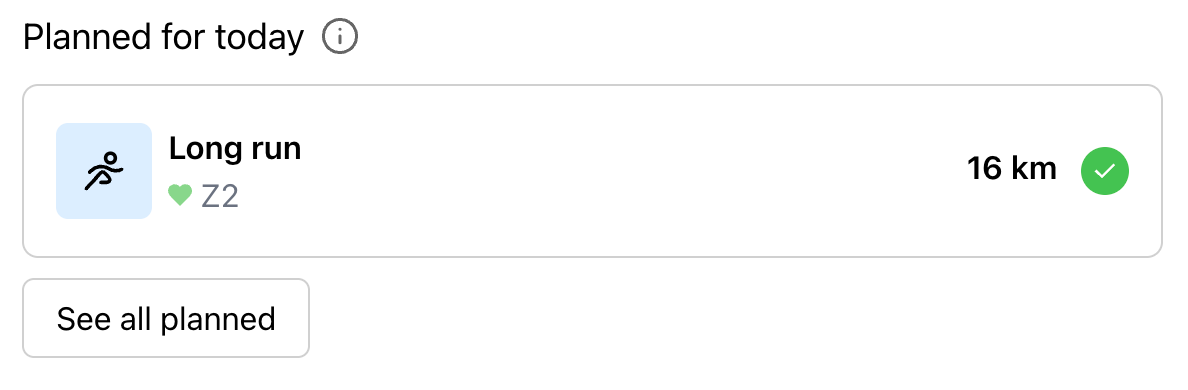
See the training planned for today:
The last two planned activities are shown.
If no activities have been planned for today, the block is hidden.
You can mark an activity as completed by accessing it directly from today's plan.
Note: The training load and goal progression blocks are currently not available to coaches who also track their own runs in KULG. Users who have been given access to data do not have access to their runners' Overview page.