Athlete profile
Written By KULG App
Last updated 20 days ago
Runner (incl free)
Runners can define their training profile, current race goal, and injury history under Settings » Athlete profile. This powers KULG Training Intelligence in providing personalised training guidance that feeds AI insights and KULG Training assistant.
💡 The more information you add to your Athlete profile as well as to your activities, the better KULG Training Intelligence can adapt recommendations to your individual physiology, performance, and recovery. This data is used to provide KULG Training assistant with context and to generate more tailored weekly and monthly AI insights.
Training & goals
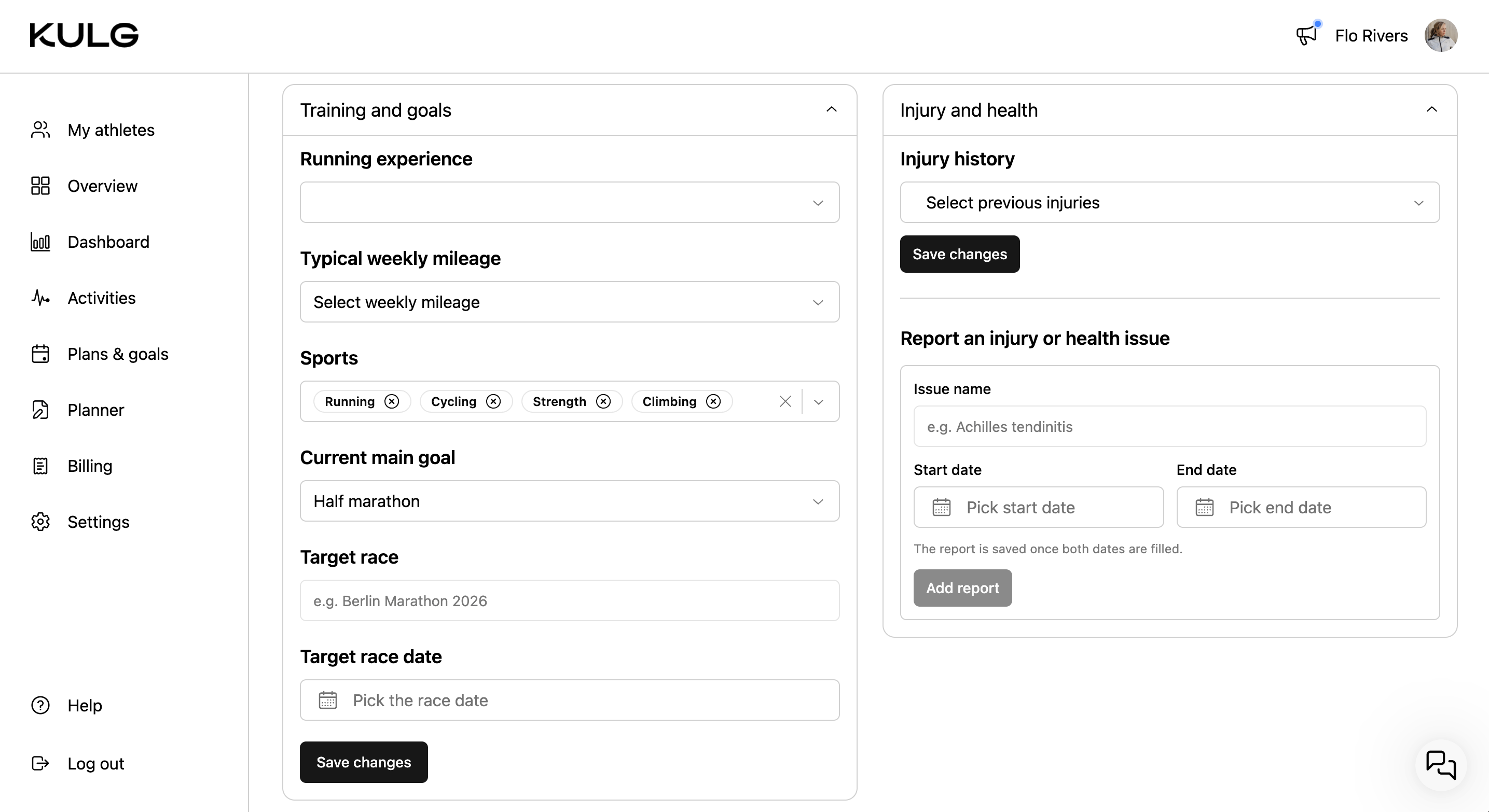
You can view and edit the answers you gave during onboarding - your running experience, weekly mileage, your sports, current main goal, and define your target race (date and name).
Injury & health
You can view and edit the answers you provided about your injury history during onboarding, and report an injury or health issue by specifying its name and the time frame in which it occurred.
HR zones
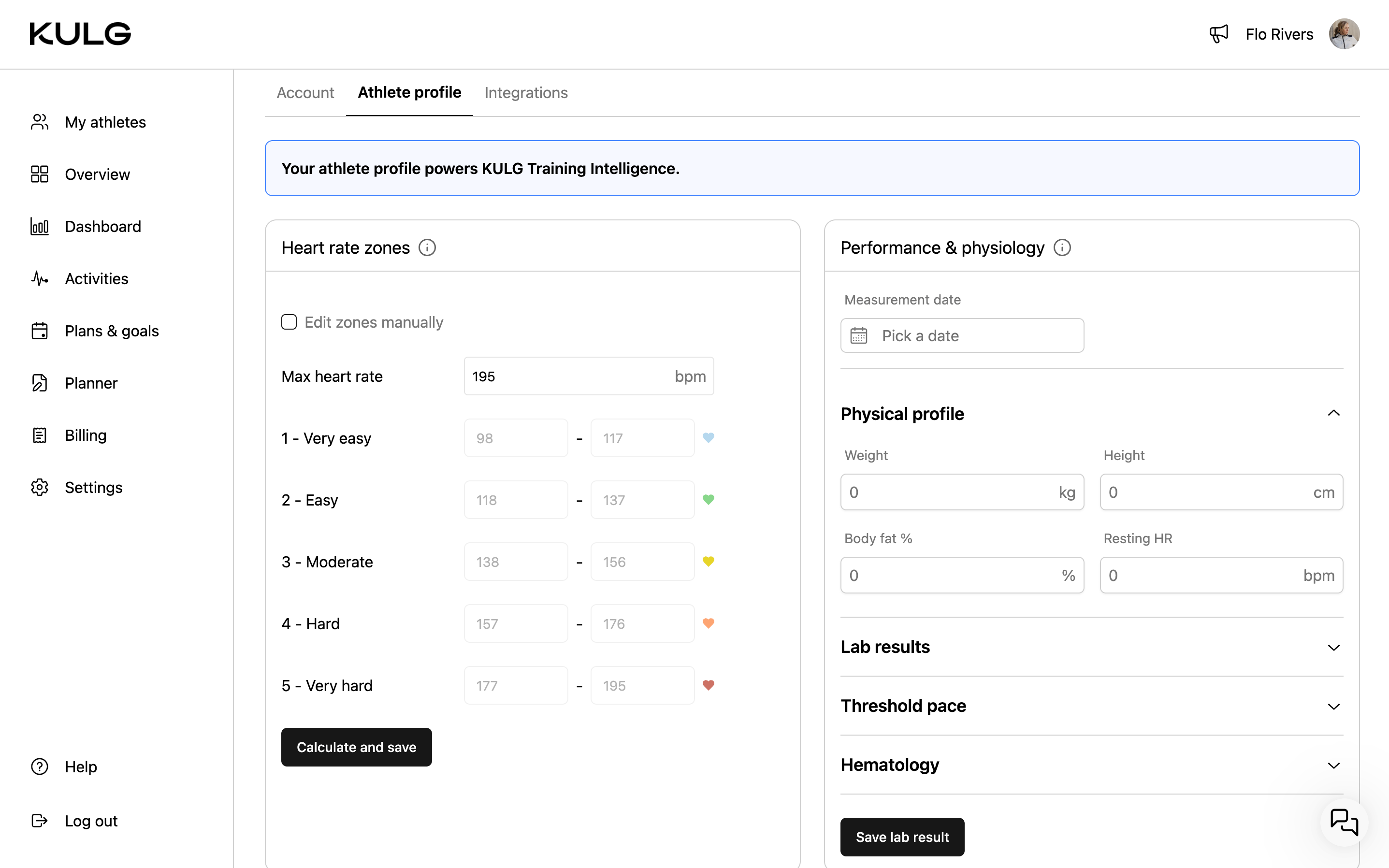
You can see and edit your HR zones based on the 5-zone model, either by using max HR or customising your HR zones manually. If the max HR is updated in the Performance & physiology section, your HR zones will be updated.
Performance & physiology
You can add and manage key data, including your physical profile (weight, height, body fat %, resting HR), lab metrics (max HR, lactate threshold HR, VO₂max), threshold pace data, and hematology values (hemoglobin, hematocrit).
Entries can be saved by date and edited or deleted at any time.
Max HR, lactate threshold, and VO₂max are used to calibrate your heart rate zones. If this data is not available, zones are estimated from your activity history, unless you have set them manually. Where possible, use lab values, as VO₂max estimates from watches are often not reliable enough for precise analysis.
For aerobic threshold (AeT), include heart rate corresponding to LT1 (first lactate/ventilatory threshold).
For anaerobic threshold (AT), include both heart rate and pace corresponding to LT2 or the lower end of the threshold range.
Personal bests
Add your personal best times for specific distances.